
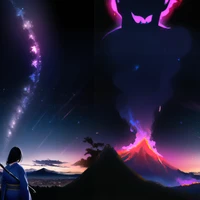
| # Posex - Estimated Image Generator for Pose2Image | |
|  | |
| ## Quick Start with [Web UI](https://github.com/AUTOMATIC1111/stable-diffusion-webui) | |
| 1. Install [Mikubill/sd-webui-controlnet](https://github.com/Mikubill/sd-webui-controlnet). | |
| 2. Install Posex (this). | |
| 3. Open `Posex` accordion in t2i tab (or i2i as you like). Enable `Send this image to ControlNet` checkbox. Editor will appear. | |
| 4. Configure ControlNet as below. | |
| ``` | |
| Preprocessor: none | |
| Model: control_sd15_openpose | |
| ``` | |
| 5. Make pose. | |
| 6. Generate images. | |
| ## How to use | |
| ``` | |
| Click: select body | |
| Left Drag: move joint (on joint) | |
| rotate camera (otherwise) | |
| Right Drag: move whole body (if selected) | |
| move camera (otherwise) | |
| Wheel: zoom | |
| ``` | |
| ## Installation | |
| - [Web UI](https://github.com/AUTOMATIC1111/stable-diffusion-webui) Extension | |
| - Online (Github Pages) | |
| - Standalone | |
| ### [Web UI](https://github.com/AUTOMATIC1111/stable-diffusion-webui) Extension | |
| **Prerequirement: You need to install [Mikubill/sd-webui-controlnet](https://github.com/Mikubill/sd-webui-controlnet) to use Posex with ControlNet Pose2Img.** | |
| Go to `Extensions` tab, then select `Install from URL` tab and input `https://github.com/hnmr293/posex`. | |
| Or move to `extensions` directory and type `git clone https://github.com/hnmr293/posex`. | |
| In webui, open `Posex` accordion in `txt2img` or `img2img` tab, then click a checkbox. The canvas will be opened. | |
| ### Online | |
| See Github Pages. | |
| [https://hnmr293.github.io/posex](https://hnmr293.github.io/posex) | |
| ### Standalone | |
| ``` | |
| $ pip install -r requirements.txt | |
| $ python app.py | |
| ``` | |
| Then open `localhost:55502` or `127.0.0.1:55502` in your browser. | |
| ## Example | |
| ### Web UI | |
| sample 1: | |
|  | |
| result: | |
|  | |
| sample 2: | |
|  | |
| result: | |
|  | |
| ### Standalone | |
|  | |
| ## History | |
| ### v0.3 -> v0.4 features | |
| - background setting | |
| - save/load pose | |
| - fixed camera roll | |
| ### v0.2 -> v0.3 features | |
| - Web UI extension | |
| ### v0.1 -> v0.2 features | |
| - copying the image to clipboard | |
| - multiple bodies | |
| - canvas size changing | |
| - UI has become ugly >_<; | |